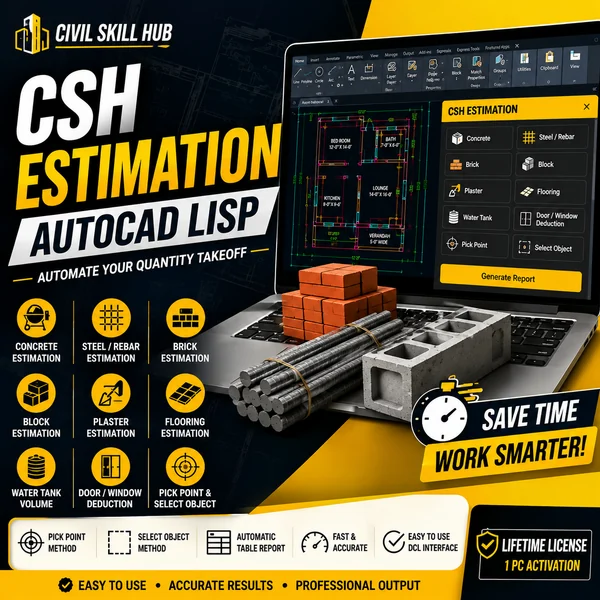
Stop measuring from drawings and calculating construction materials by hand. CSHEST is a complete AutoCAD LISP for quantity estimation and material cost calculation developed by Civil Skill Hub – Ubaid Qazi. It reads areas and lengths straight from your AutoCAD drawing and generates cement, sand, aggregate, steel, bricks, blocks, plaster, tiles, and earthwork quantities with optional material and labor cost tables.
What’s Inside This AutoCAD LISP for Quantity Estimation (3 Commands)
CSHEST– Material Quantity & Cost Takeoff: Pick internal points or select objects in your drawing to calculate material quantities and place a clean takeoff table immediately.CSHRATE– Custom Material & Labor Rates: Set your unit rates for cement, sand, steel, bricks, tiles, and labor once—your rates are saved automatically for future AutoCAD sessions.CSHTOTAL– Combined Grand Total Summary: Scans all generated tables across your entire drawing and builds one consolidated summary schedule with grand totals.
Construction Materials & Mix Ratios Supported
- Earthwork (Excavation & Filling): Calculates excavation and backfilling volumes with adjustable compaction and bulkage allowance for filling.
- Concrete Mixes: Breaks down cement bags, sand, and coarse aggregate by structural member and standard mix ratios (
1:1.5:3,1:2:4,1:3:6,1:4:8). - Steel Reinforcement: Supports both volume-based percentage/ratio estimation and bar-based (diameter × length) calculation with custom rate per kg by bar diameter.
- Brick & Concrete Block Masonry: Calculates brick counts, concrete block quantities by block size, and required mortar volumes by mix ratio.
- Plaster, Flooring & Water Tanks: Computes wall/ceiling plaster with mix ratio, tile and marble flooring counts by tile size, and underground/overhead water tank volumes.
Smart Takeoff Features & Unit Flexibility
- Automatic Openings Deduction: Deducts doors, windows, and ventilators from masonry and plaster areas accurately.
- Pick Point or Select Object: Use boundary pick-point detection or direct object/polyline selection—whichever fits your drawing workflow.
- Three Cost Modes: Generate quantities only, material cost only, or complete material + labor cost tables (leave any rate at
0to skip cost for that item). - Dynamic Table Sync: Result tables are drawn natively in AutoCAD ready to plot; if you delete a table and re-run
CSHTOTAL, the grand summary updates automatically to match the drawing. - Imperial & Metric Units: Works in Imperial (
ft / in) and Metric (m / mm)—simply define what 1 drawing unit equals once and work with any scale.
Why Choose CSHEST as Your AutoCAD LISP for Quantity Estimation?
Manual BOQ preparation and spreadsheet takeoffs take hours and often miss opening deductions or mix ratio conversions. Using this AutoCAD LISP for quantity estimation keeps your measurements tied directly to your CAD geometry, making CSHEST the fastest AutoCAD LISP for quantity estimation and BOQ costing tool for civil engineers, quantity surveyors, and contractors.
Requirements, 3-Day Free Trial & License
- Software Compatibility: Full Autodesk AutoCAD for Windows with AutoLISP support (AutoCAD LT is not supported). Single compiled file loaded via
APPLOADwith built-in dialogs—no extra DCL files needed. - Automatic 3-Day Free Trial: Starts automatically upon first run—no license key required to test on your own drawings.
- Single-PC License Activation: Run
CSHESTIDin AutoCAD, send your PC ID to info@civilskillhub.com, and enter your key usingCSHESTACTIVATE. - Important Note: Always verify calculated quantities and rates before using them for tenders or construction. Results depend on your drawing geometry and entered parameters.
Frequently Asked Questions (FAQ)
Can I calculate quantities without entering material rates?
Yes, this AutoCAD LISP for quantity estimation lets you run in quantities-only mode or leave any rate at 0 whenever you only need material breakdowns without cost.
Does CSHEST work in both feet/inches and meters/millimeters?
Yes, you simply specify whether 1 drawing unit equals an inch, foot, millimeter, or meter once, and CSHEST converts all volumes, areas, and weights accurately.
Developed by Civil Skill Hub – Ubaid Qazi. Watch tutorials on Civil Skill Hub YouTube Channel or explore more AutoCAD LISP Tools on our store.