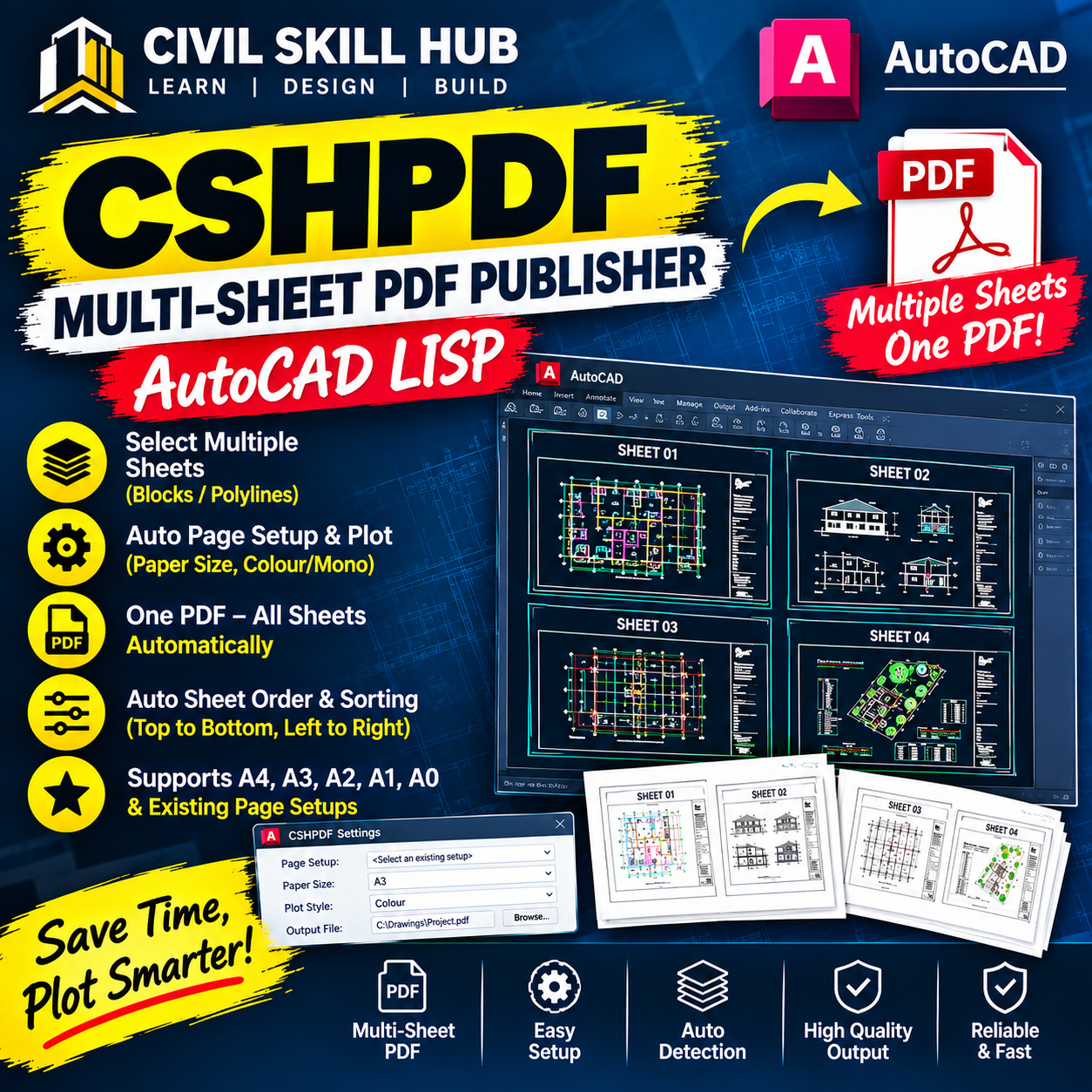
CSHPDF is a fast, automated AutoCAD LISP for multi sheet PDF publishing developed by Civil Skill Hub – Ubaid Qazi. Instead of plotting dozens of layouts or title blocks one by one, CSHPDF lets you select multiple sheet frames directly from Model Space, automatically creates individual page setups for every frame, and publishes your entire drawing set into a single organized PDF file.
Key Features of This AutoCAD LISP for Multi Sheet PDF Publishing
- Batch Multi-Sheet Publishing: Select multiple drawing sheets in Model Space and publish them together into one clean, multi-page PDF document.
- Smart Frame Detection & Manual Selection: Automatically detects title block frames drawn as Blocks or closed Polylines, or lets you pick sheet corners manually.
- Automatic Sheet Sorting: Arranges selected frames automatically in logical top-to-bottom and left-to-right reading order so your PDF pages stay in exact sequence.
- All Standard Paper Sizes: Supports
A4,A3,A2,A1, andA0sheet formats and automatically fits each selected frame cleanly to the paper. - Colour & Monochrome Plotting: Switch easily between full Colour and Monochrome (black-and-white) output before generating your PDF.
- Page Setup Compatibility & Auto-Cleanup: Uses
DWG To PDF.pc3, preserves important plot settings from your existing AutoCAD Page Setups, creates temporary page setups per sheet, and removes all temporary setups automatically after publishing. - Smart File Naming & Auto-Save: Saves your drawing automatically before plotting, names the output PDF after your DWG filename by default (or lets you enter a custom filename), and delivers crisp vector and raster PDF resolution.
How It Works: Step-by-Step Guide
- Save & Load: Ensure your AutoCAD drawing is saved, then run
APPLOADand loadCSHPDF.lsp. - Run the Command: Type
CSHPDFin the command line and press Enter. - Select Sheet Frames: Select your title block frames (Blocks or Polylines) in Model Space or pick corners manually.
- Choose Setup, Paper Size & Plot Mode: Select an existing Page Setup or use default settings, pick your paper size (
A4–A0), and choose Colour or Monochrome. - Publish to One PDF: Confirm or enter your desired PDF filename—
CSHPDFsorts every sheet, builds temporary setups, publishes the complete multi-sheet PDF, and cleans up automatically.
Why Choose CSHPDF as Your AutoCAD LISP for Multi Sheet PDF Plotting?
Manually plotting 20 or 50 Model Space title blocks for architectural plans, structural detailing sheets, or road cross-sections wastes hours and often leads to misaligned margins or out-of-order pages. Using this AutoCAD LISP for multi sheet PDF automation eliminates repetitive plot dialogs, making CSHPDF the fastest AutoCAD LISP for multi sheet PDF batch plotting solution for civil engineers, architects, and CAD draftsmen.
Who Is CSHPDF Useful For?
- Architectural Drawings & House Plans
- Civil & Structural Engineering Drawings
- Construction Tender & As-Built Document Sets
- Land Survey & Multi-Sheet Road Projects
Requirements & License Information
- Software Compatibility: Full Autodesk AutoCAD for Windows with Visual LISP / ActiveX support (AutoCAD LT is not supported).
- Drawing Requirement: Your DWG file should be saved before running the
CSHPDFcommand. - Support & Activation: For license activation or technical assistance, contact info@civilskillhub.com.
Frequently Asked Questions (FAQ)
Does CSHPDF leave extra clutter or temporary page setups inside my DWG file?
No, this AutoCAD LISP for multi sheet PDF utility creates temporary page setups solely during publishing and automatically cleans them up once your PDF is generated.
Can I plot Model Space frames drawn with polylines instead of blocks?
Yes, CSHPDF supports both Block title frames and closed Polyline borders, as well as manual corner selection for any custom sheet layout.
Developed by Civil Skill Hub – Ubaid Qazi (Learn | Design | Build). Watch tutorials on Civil Skill Hub YouTube Channel or explore more AutoCAD LISP Tools on our store.