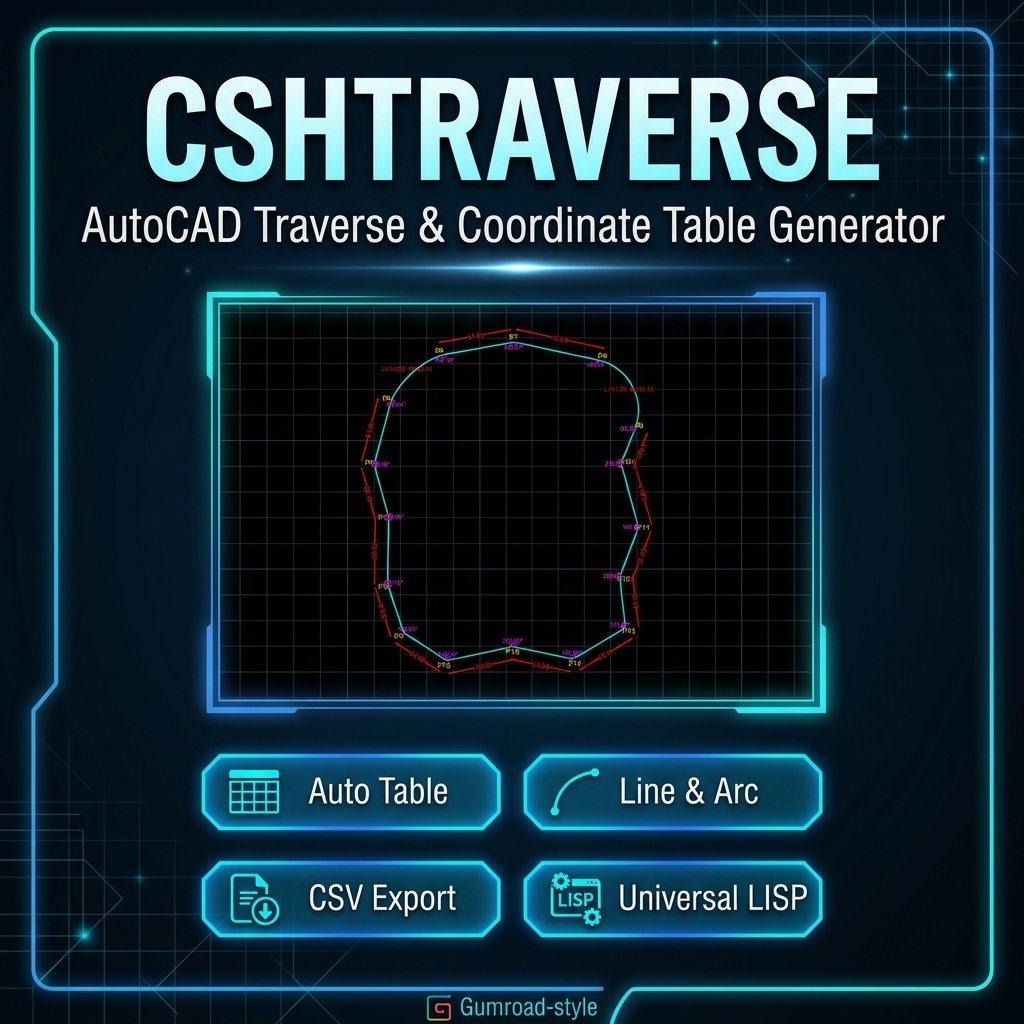
CSHTRAVERSE is a complete AutoCAD LISP for traverse table generation and land boundary surveying developed by Civil Skill Hub – Ubaid Qazi. Simply select a closed LWPOLYLINE boundary or survey traverse, configure your options in a clean dialog box, and the routine automatically draws a complete, plot-ready traverse schedule—just like a manual survey sheet—directly on your drawing.
Key Features of This AutoCAD LISP for Traverse Table Generation
- Complete 8-Column Traverse Schedule: Automatically draws a structured table containing
POINT,LINE,TYPE,DIST.,ANGLE,RADIUS,EASTING, andNORTHINGcolumns. - Automatic Line & Arc Detection: Detects both straight segments and curved segments (bulge arcs) along your closed polyline automatically.
- Area & Perimeter Totals: Computes exact boundary area and total perimeter and appends them cleanly to the bottom of the traverse table.
- Built-In Unit Conversion: Choose your drawing’s input units (Metres or Feet) and your table’s output display units independently.
- Sequential Point Labels: Automatically labels every boundary vertex on the drawing as
P1,P2,P3, and so on. - On-Drawing Dimensions & Arc Labels: Places aligned dimensions along every straight boundary line and clear
L=(arc length) andR=(radius) callouts on curved segments. - Interior Angle Annotations: Measures and annotates the interior angle at each vertex neatly inside the boundary polygon.
- 1-Click CSV / Excel Export: Exports the complete traverse table, bearings/angles, distances, coordinates, area, and perimeter straight to a CSV file for Excel.
- Universal AutoCAD Compatibility: Built using plain AutoCAD lines and text entities (no complex
ACAD_TABLEstyles required), ensuring clean display across all AutoCAD versions.
Step-by-Step Guide: How to Use CSHTRAVERSE in AutoCAD
- Load the LISP File: Open your survey drawing in AutoCAD for Windows and run the
APPLOADcommand. Select yourCSHTRAVERSEfile and click Load. - Run the Command: Type
CSHTRAVERSEin the command line and press Enter to open the settings dialog box. - Configure Units & Annotation Options: Select your drawing units (Metres/Feet), output display units, text height, and toggle point labels, dimensions, interior angles, or CSV export.
- Select Closed Polyline & Place Table: Click your closed
LWPOLYLINEboundary and pick an insertion point in Model space—your annotated traverse boundary and complete schedule appear instantly.
Why Choose CSHTRAVERSE as Your AutoCAD LISP for Traverse Table Drafting?
Computing traverse distances, curve radii, interior angles, and vertex coordinates manually for land subdivision or boundary plans takes hours and risks transcription mistakes. Using this AutoCAD LISP for traverse table automation keeps your boundary annotations synchronized with your schedule—making CSHTRAVERSE the fastest AutoCAD LISP for traverse table and land survey drafting tool for civil engineers, land surveyors, and CAD professionals.
Requirements & License Details
- Supported Software: Full Autodesk AutoCAD for Windows with AutoLISP support (AutoCAD LT does not support AutoLISP routines).
- Target Geometry: Works with any closed
LWPOLYLINEboundary (usePEDITto join separate lines and arcs into a closed polyline before running). - Who It’s For: Civil engineers, land surveyors, CAD drafting professionals, and civil engineering students working on boundary surveys, plot subdivisions, or traverse computations.
Frequently Asked Questions (FAQ)
Does CSHTRAVERSE handle curved property boundaries and cul-de-sac arcs?
Yes, this AutoCAD LISP for traverse table calculation automatically detects bulge arcs in closed polylines, lists their radius and type in the table, and labels L= and R= directly along each curve.
Can I convert Metres to Feet directly inside the traverse table?
Yes, you can set your drawing’s current units (Metres or Feet) and select a different display unit in the dialog box without scaling your original CAD geometry.
Developed by Civil Skill Hub – Ubaid Qazi. Watch tutorials on Civil Skill Hub YouTube Channel or explore more AutoCAD LISP Tools on our store.