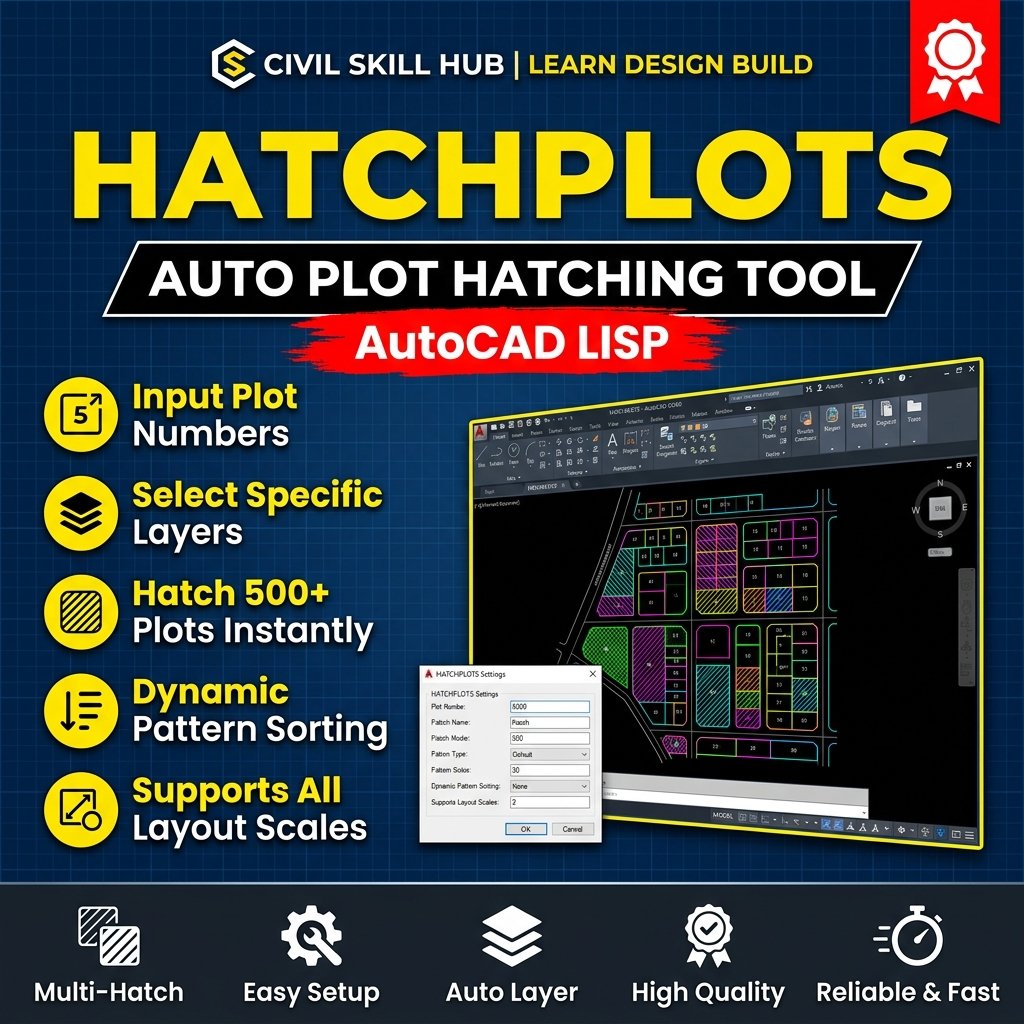
Stop selecting hundreds of residential, commercial, or amenity plots manually just to apply different hatch patterns and colors. HATCHPLOT is a fast, lightweight AutoCAD LISP for plot hatching and master plan presentation developed by Civil Skill Hub – Ubaid Qazi for town planners, urban designers, real estate developers, and civil engineers.
2-in-1 Dual Automation Methods in This AutoCAD LISP for Plot Hatching
- Method 1 – Identification by Plot Number (Pick & Input): Simply enter the exact plot numbers you want to highlight (for example:
5, 12, 20, 25).HATCHPLOTautomatically scans the drawing text, locates those enclosed plot boundaries, and hatches all of them simultaneously in seconds. - Method 2 – Select by Layer (Bulk Layer Processing): Keep your commercial, residential, park, or green-belt plots on separate layers, pick the target layer, and
HATCHPLOTautomatically detects every boundary on that layer and hatches them all in one pass.
Key Features of HATCHPLOT
- Instant Multi-Plot Hatching: Applies dynamic hatch patterns, angles, scales, and colors across dozens or hundreds of identified plot boundaries without CAD lag.
- Unlimited Bulk Selection Support: Type as many plot numbers or process entire zoning layers at once—eliminating tedious boundary-by-boundary clicking.
- Clean, Error-Free Boundaries: Prevents manual hatch overlapping, boundary leaks, or missed tight corners in irregular subdivision layouts.
- Lightweight & Easy to Load: Provided as a secured AutoLISP file (
.fas/.vlx) ready to load viaAPPLOADalongside a step-by-step installation and user guide.
How to Use HATCHPLOT in AutoCAD
- Load the LISP File: Open your subdivision or master plan drawing in AutoCAD for Windows and run the
APPLOADcommand to loadHATCHPLOT. - Run the Command: Type
HATCHPLOTin the command line and press Enter. - Choose Your Detection Method: Select either By Plot Number (and enter your comma-separated plot numbers) or By Layer (and select the target plot layer).
- Pick Hatch Pattern & Color: Choose your desired hatch style, scale, and color—
HATCHPLOThighlights every matching plot boundary automatically.
Why Choose HATCHPLOT as Your AutoCAD LISP for Plot Hatching?
Color-coding housing societies, land subdivisions, and zoning master plans manually takes hours every time plot statuses change. Using this AutoCAD LISP for plot hatching turns a multi-hour presentation task into a few clicks, making HATCHPLOT the fastest AutoCAD LISP for plot hatching and real estate layout highlighting utility for town planners and civil draftsmen.
What’s Included & Free License Information
- Package Contents: Secured AutoLISP file (
.fas/.vlx) + Step-by-Step Installation & User Guide. - 100% Free (1-PC License): Completely free to download and use—after downloading, send your PC ID to info@civilskillhub.com to receive your free single-PC activation key.
- Software Compatibility: Full Autodesk AutoCAD for Windows with AutoLISP support (AutoCAD LT is not supported). Ensure plot numbers are clean
TEXT/MTEXTentities and boundaries are closed polylines on their respective layers.
Frequently Asked Questions (FAQ)
How does HATCHPLOT match plot numbers to plot boundaries?
This AutoCAD LISP for plot hatching scans TEXT and MTEXT labels inside your drawing, finds the enclosing boundary around each matching plot number, and applies your chosen hatch automatically.
Can I hatch an entire zoning layer like all commercial plots at once?
Yes, simply choose Method 2 (Select by Layer) and pick your commercial or residential layer—HATCHPLOT detects and hatches every boundary on that layer simultaneously.
Developed by Civil Skill Hub – Ubaid Qazi. Watch tutorials on Civil Skill Hub YouTube Channel or explore more AutoCAD LISP Tools on our store.