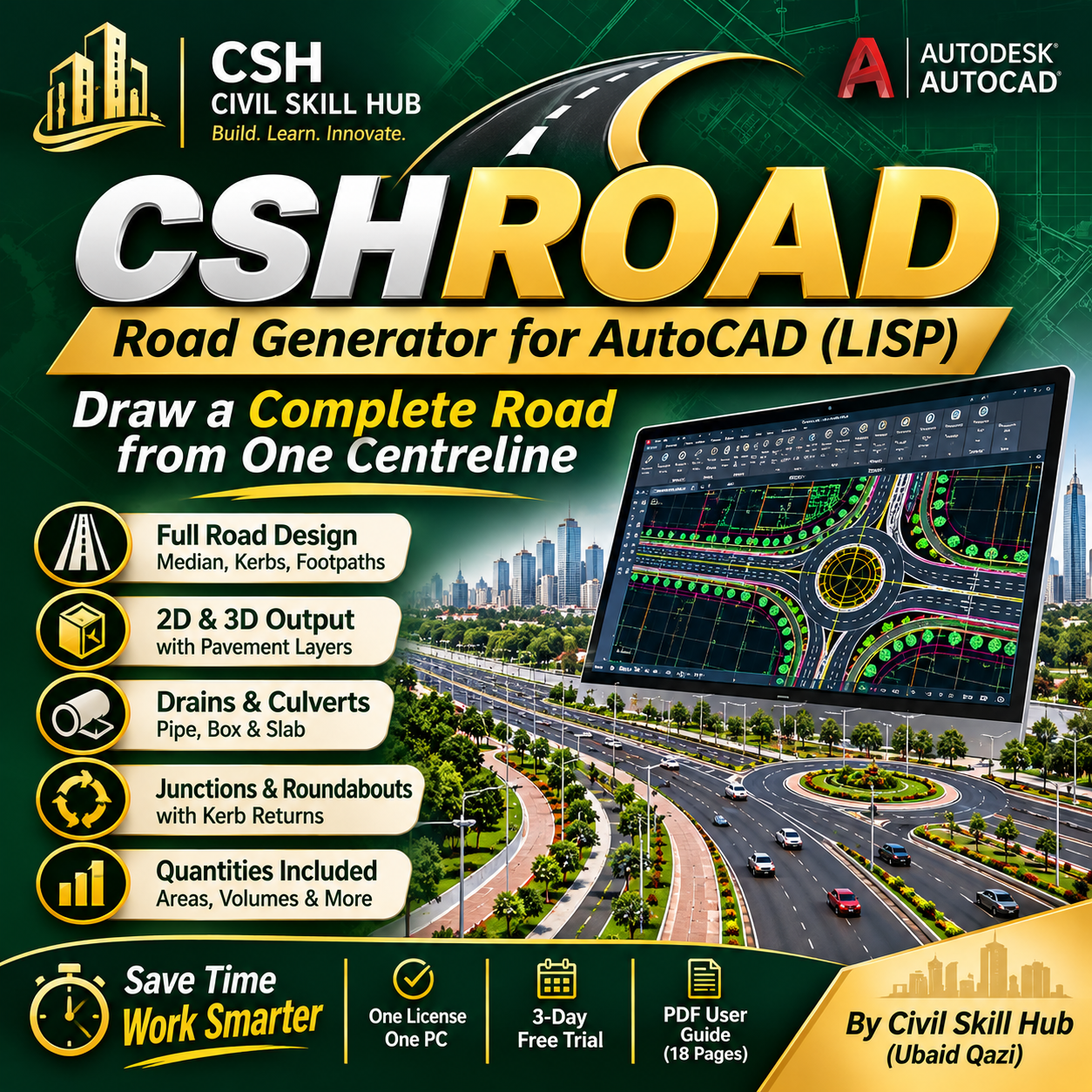
Build a complete 2D and 3D road from a single centreline using CSHROAD, an all-in-one AutoCAD LISP for road design.
CSHROAD is an AutoLISP tool for AutoCAD that turns one centreline into a full road section in plan and in 3D. Pick the centreline, set the widths in a dialog box, and the road is drawn for you.
What it draws
Road section (built from the centre outwards, both sides)
- Median, kerbs, carriageway, shoulders (paved or earthen), footpaths and service road
- Kerbs are added automatically wherever a road strip meets a raised strip
- Camber and shoulder slope
- Pavement layers (wearing, binder, base, sub-base) as 3D solids
Markings and chainage
- Continuous edge lines and dashed lane lines
- Chainage ticks and text at your interval and start chainage
Alignment and levels
- Circular curves at the corners of your centreline, with a curve table (R, delta, T, L, PI / PC / PT)
- Superelevation analysis with transition marks, a table and a banked 3D road
- 3D road that follows the FRL from a CSV file, with a ground surface
Drainage and structures
- Side drains: open earthen, lined rectangular, lined trapezoidal and covered
- Pipe, box and slab culverts and bridges at chainages you choose, with skew and wing walls
- Flyover and underpass with ramps, deck, piers, retaining walls and an optional cross road
Junctions and roundabouts
- T and cross junctions with kerb returns, median noses and optional traffic signals (CSHJUNCTION)
- Roundabouts with islands, splitter islands, lane lines, give-way lines, zebra crossings and arrows (CSHROUNDABOUT)
Road items
- Slip roads, median U-turns, turning heads and hammerheads, bus bays
- Speed breakers, pedestrian crossings, stop lines, rumble strips
- Bollards, traffic signs, road arrows, manholes and catch pits, traffic signals
- Km stones, delineators, road studs, cycle tracks, parking bays
- Street lights, trees and guardrail
Quantities included
Strip areas, pavement layer volumes, kerb length and volume, drain quantities, culvert and structure counts, flyover and underpass concrete, road furniture and road item counts, edge line length and more. Place a table in your drawing or export to CSV.
Easy to use
- This AutoCAD LISP for road design includes presets for Urban 4-lane, Urban with service road, Village road, and Highway.Presets: Urban 4-lane, Urban with service road, Village road, Highway
- Metric or Imperial units
- Output in 2D, 3D or both
- Settings are saved on the centreline, so you can change and redraw at any time
- Run it again on the same centreline and choose Replace to swap the old road
- Everything goes on its own layers, so you can freeze or switch off any part
- Single file. Load it with APPLOAD and type CSHROAD
What you get
- CSHROAD AutoCAD LISP for road design file (one single .fas/.vlx file with all commands)
- PDF user guide (18 pages)
- Your license key for one PC
Requirements
- AutoCAD for Windows (full AutoCAD). It does not run in AutoCAD LT.
- Junction, roundabout and curve tools need a polyline centreline (join lines and arcs with PEDIT first)
- Closed centrelines are not supported (break them at one point)
License
- Includes a 3-day free trial, so you can test it on your own drawings
- One license key works on one computer. Send your PC ID (the CSHROADID command shows it) and you receive your key. Enter it with CSHROADACTIVATE
- One license covers CSHROAD, CSHJUNCTION and CSHROUNDABOUT
Whether you are working on highways or urban streets, CSHROAD is a fast and reliable AutoCAD LISP for road design.
Please note
- Quantities are theoretical values worked out from the drawing. Add your own allowance for wastage and site conditions.
- Superelevation, curve and structure geometry are design aids. Please check them against your project standards.
- 3D with banking, levels from CSV or many road items can take a few minutes on long roads.
Watch the full demo on Civil Skill Hub YouTube Channel or explore more AutoCAD LISP Tools by Civil Skill Hub (Ubaid Qazi).